
Platform: NinjaTrader® 8 Desktop
Put your trading rules where your mouse is.
TiltGuard cancels the order you promised yourself you wouldn’t take.
Most blown accounts don’t come from a bad strategy. They come from a second entry, an oversized click, a fast-moving open, overtrading or revenge trading on a bad day. TiltGuard enforces your rules at the point of the click, so willpower isn’t the only thing standing between you and the mistake.
You save your rules in a configuration file before you start NinjaTrader (Documents\NinjaTrader 8\templates\TiltGuard).
The settings are read on startup and you are unable to modify them on the fly.
You need to exit NinjaTrader for any rules file modifications to take effect.
How it works
- Entry buttons go dead when a rule you set would be broken. The native Chart Trader Buy and Sell buttons do nothing, whether you click or press Space/Enter. A sound tells you the click was blocked.
- Your pre-defined instruments only. Instruments are on an allow-list. If you trade MNQ, you can’t just randomly switch to Gold.
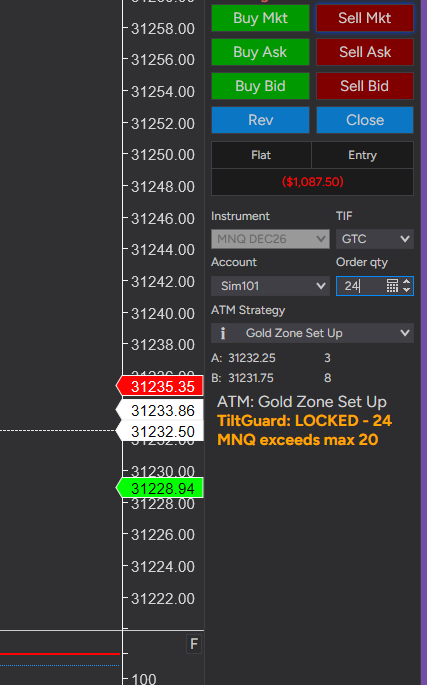
- Position size. Caps are set per instrument. NQ = 2 and MNQ = 20 are the defaults, and you can add more.
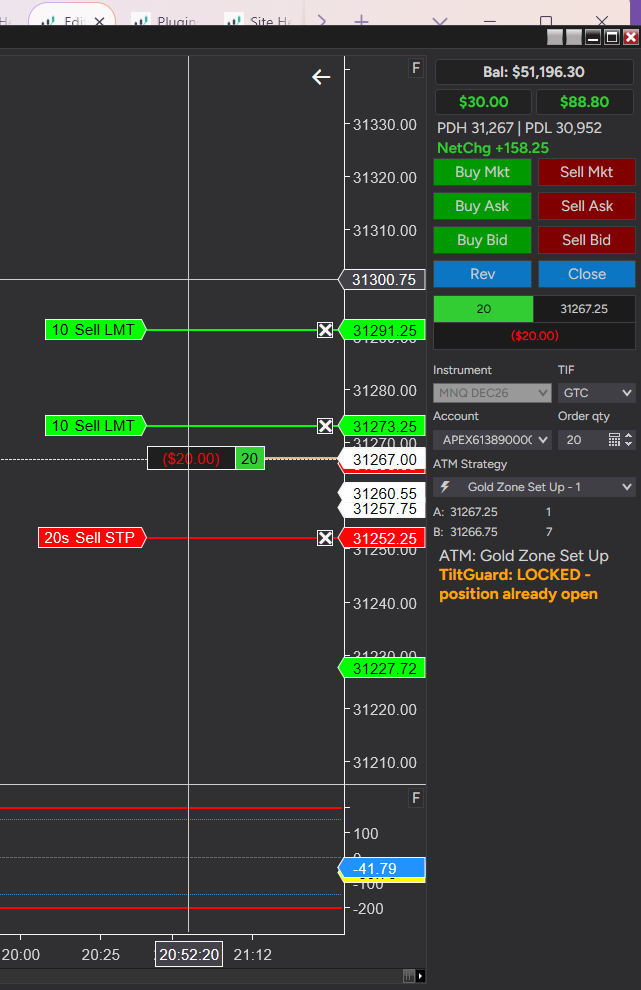
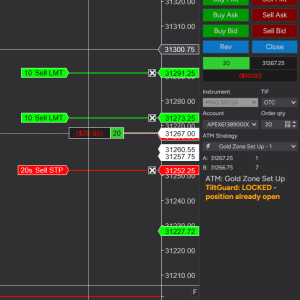
- One trade at a time. While a position is open, the only orders allowed are ones that help you get out. Your attempts to add to a losing trade are blocked.
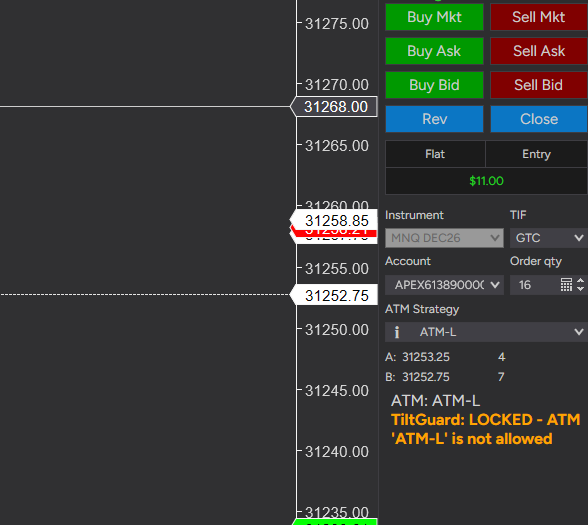
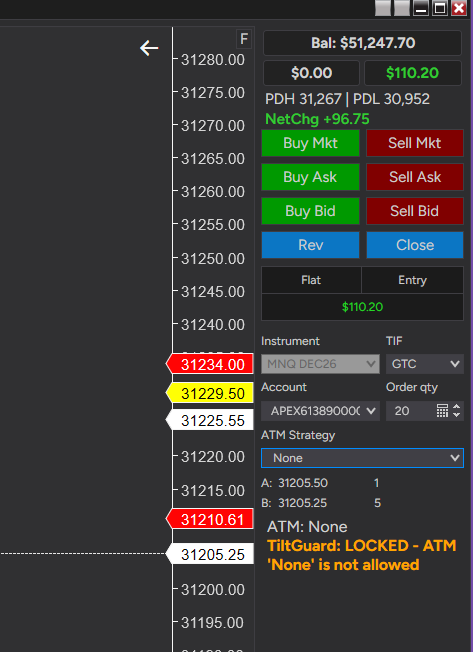
- Your ATMs only, in three sizes with up to three ATMs each. Set Regular (Full size), Medium and Small ATMs, each tier with its own max size. This ATM-only rule also prevents you from trading without a stop loss.
- Active session. No entries outside your trading window (default 09:31-11:00).
- Blocked time slots. Add as many no-trade windows as you want, including overnight (for example 16:00-08:00, or 08:30-08:31 around news). Each has its own on/off switch in the rules file.
- Max daily trades. Default is 10, counted inside your active session.
- Optional: no market-order entries. Force limit entries only.
Market-condition locks
- Volatility lock. Entries are blocked as soon as the current tick bar’s range reaches your limit (default 8 points on a 450-tick bar), for example in the first minutes after the open. They come back after a set number of calm bars (default 3). There is no timer to wait out.
- Slippage lock. If an entry fills far from the price you clicked, entries lock until the market calms.
Protection when the platform misbehaves
- Connection lost, stale data, stuck order. New entries are blocked when the broker connection drops, prices stop updating, or an order sits unacknowledged. Your exits stay open.
- Screen-stall lock. If NinjaTrader’s screen freezes, your clicks queue up and run late at prices you never saw. TiltGuard detects the freeze and blocks entries until the screen has recovered.
- Late-fill flatten. A market entry that fills more than a set time after your click (default 1 second) is flattened at once, because the market you saw is gone.
- Reversal guard. NinjaTrader’s Close button can open a new position the other way when a stop fills at the same moment. TiltGuard flattens any position opened by a Close or Flatten order, and can flatten any entry that did not come from an approved ATM.
IMPORTANT NOTE: TiltGuard is unable to help you flatten a position if the connection to your server is broken or your internet connection is down. TiltGuard and its creator, the owner of this website is not responsible for any losses incurred.
Account protection
- Max daily loss and daily target. Hit either one and the account locks until the next session start (default 6pm). The daily loss can also flatten the open position.
- Downsize after a P&L trigger. Disable the Medium and Regular ATMs after a set profit or loss, so only Small remains.
- Account profiles for eval and funded accounts. Match accounts by name prefix (for example TEST, APEX, BLNX for evals and PRO, PA, MASTER for funded). Each profile has its own ATMs, size limits, hours and loss limits. Add prefixes any time.
- Prop-firm thresholds (eval profiles). At your passed threshold (default 53,000) TiltGuard flattens the account. At your almost-passed threshold (default 52,500) it disables the Medium and Regular ATMs, each with its own Yes/No switch.
Safe Flatten and the EXIT button
A red EXIT button sits under the Chart Trader panel. It closes your position without the reversal risk of NinjaTrader’s Close button. It moves your working ATM targets through the market, so the broker cancels the stop for you. Without a working target, it sends a market order, then re-checks that you are flat and cancels any leftover stops and targets. Strategies can call the same exit from code with TiltGuard.SafeFlatten(account, instrument, reason).
What it never touches
Your way out is always open. Close, Flatten, Cancel and ATM stop/target orders are never blocked. TiltGuard stops you from getting in deeper, never from getting out.
Orders from other routes
TiltGuard watches every account’s orders. A new order that adds to the open position, or is a second entry, is cancelled on arrival. This includes DOM clicks, right-click orders and hotkey orders. Exits are left alone: a Buy to cover on a short or a Sell on a long goes through.
A lock you can’t restart your way out of
Daily locks are read from the live account, so restarting NinjaTrader can’t clear them. They release at the next session start.
Always visible, always explained
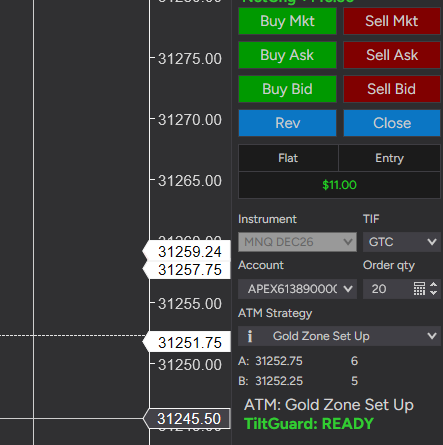
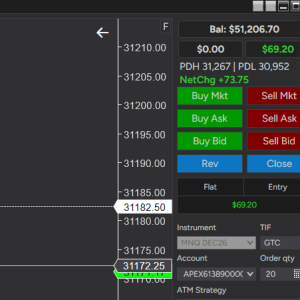
A status row under the Chart Trader panel shows TiltGuard: Ready, or a short reason (Time lock, Max Trade Lock, Balance lock, Volatility lock, Slippage lock, Screen stalled, Connection lost, Position open, ATM lock, Size lock and more). Every block is also written to the NinjaTrader Log tab with the full detail, including every rule that applied.
Simple setup
All rules live in one plain-text rules file, read once at NT startup. It is organised with the settings you need first and the advanced ones last, and every setting is explained in plain language. Edit it, restart, and you’re set.
Know the limits
- Hotkeys: NinjaTrader hotkeys are user-defined, so TiltGuard can’t know them. Only the keys you list in the rules file are blocked.
- DOM and right-click orders: these are cancelled after submission, not blocked before. The order may appear briefly, then it’s cancelled.
- Orders already in flight: no software on your PC can stop an order that has already left it. TiltGuard’s late-fill flatten and reversal guard clean up fast, but the fill itself has already happened.
- Your broker still has the final say. Prop-firm risk engines (daily loss, auto-liquidation) run on their servers. Set TiltGuard’s limits tighter than your firm’s so it acts first.
Built for futures traders on NinjaTrader 8 Desktop app, especially prop-firm accounts where one bad click costs an eval.
Reviews
There are no reviews yet.